Оплата чайових безготівково

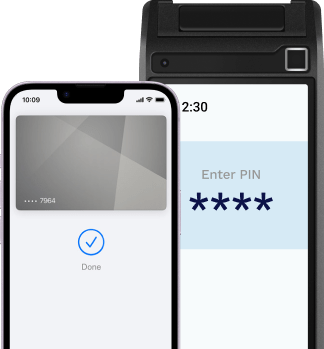
Сервіс CashlessTips від iPay.ua дозволяє офіціантам швидко та зручно приймати чайові без готівки

card phone phone phone

Дайте змогу клієнтам обрати зручний для них спосіб оплати чайових

Не потрібна готівка

клієнт не відчуває незручності не маючи з собою готівки

Вибір розміру чайових

можливість обрати бажаний розмір чайових: 5%, 10% чи 15% - система сама розрахує відповідну суму в залежності від рахунку

Прозора оцінка

якості обслуговування — при оплаті чайових безготівково фіксується ідентифікатор співробітника, що обслуговував клієнта

Відео-інструкція

Про роботу сервісу

Дізнайтесь як працює сервсіс оплати чайових безготівково. У відео показується наочне використання нашого сервізу при підключенні чайових і як це працює

Наші партнери

Ukrsibbank
Otpbank
Sushiya
Pivdenniy Bank
WOG

Переваги впровадження сервісу CashlessTips

Комплексна інтеграція платіжної системи на сайт дозволяє здійснювати всі популярні види платежів. З еквайрингом від iPay.ua доступні:

Налаштування відрахування процента від всіх чайових закладу для команди кухарів

Моніторинг чайових по всій мерёжі ресторанів та по окремим закладам та офіціантам

Проведення мотиваційних заходів та конкурсів серед персоналу

Відгуки наших партнерів

Розповідають Пивна Дума та Сушия

Сервіс CashlessTips від iPay.ua дозволяє офіціантам швидко та зручно приймати чайові без готівки за допомогою оплати карткою будь-якого банку України або платіжним пристроєм з NFC

Найчастіші питання

В цьому блоці ви можете знайти найчастіші запитання, котрі найбільше хвилюють клієнтів

Що необхідно для співпраці?
Залишити заявку про співпрацю у нас на сайті. Наші представники зв’яжуться з вами, уточнять деталі, дадуть відповіді на всі Ваші запитання та передадуть запит в банк.
This is the second item's accordion body. It is hidden by default, until the collapse plugin adds the appropriate classes that we use to style each element. These classes control the overall appearance, as well as the showing and hiding via CSS transitions. You can modify any of this with custom CSS or overriding our default variables. It's also worth noting that just about any HTML can go within the .accordion-body, though the transition does limit overflow.
This is the third item's accordion body. It is hidden by default, until the collapse plugin adds the appropriate classes that we use to style each element. These classes control the overall appearance, as well as the showing and hiding via CSS transitions. You can modify any of this with custom CSS or overriding our default variables. It's also worth noting that just about any HTML can go within the .accordion-body, though the transition does limit overflow.